Mortgage process automation: how lenders automate the loan file, from application to closing
For mortgage operations and technology teams: what to automate at each stage of a loan, starting with the documents in the loan file.

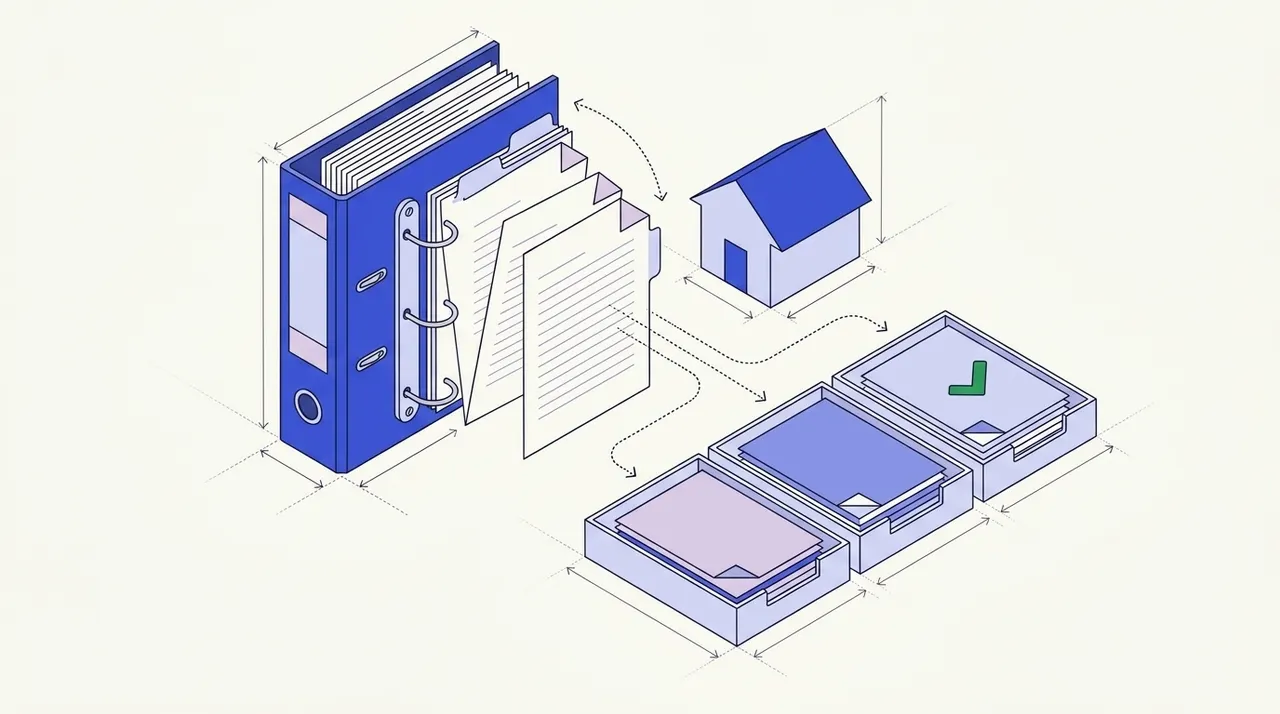
Key takeaways
- Mortgage process automation uses different software for different parts of a loan. The loan origination system runs tasks and deadlines, automated underwriting returns findings, and document AI reads the loan file.
- Mortgage document processing is the part that reads the loan file. That means the Form 1003, pay stubs, W-2s, tax returns, bank statements, the appraisal and title.
- The MBA put loan production expenses at $10,936 per loan in Q2 2026 at independent mortgage banks and bank-owned mortgage subsidiaries. The average since 2008 is $7,945.
- Mortgage OCR only turns pages into text. Intelligent document processing also classifies pages, pulls out fields and checks them against the 1003, so processors work only the exceptions.
- For purchase loans, Fannie Mae asks for the most recent full two months of bank statements. So extraction has to capture every transaction, not just the balance.
On this page
- Mortgage process automation, stage by stage
- How mortgage document processing works
- Documents in a mortgage loan file
- Where manual processing slows lenders down
- Mortgage OCR vs intelligent document processing
- How to automate mortgage document processing with AI
- Checks to run on every loan file
- Automating the mortgage process beyond documents
- Where automation still needs people
- How to roll it out
- How to choose a mortgage document processing tool
- Test it on loans you closed last quarter
- Frequently asked questions
Mortgage process automation uses software to move a loan from application to closing with less work by hand. The loan origination system (LOS), underwriting tools and document AI each do part of the work, and people check the rest. Mortgage document processing is the part that reads and checks the loan file, from the Form 1003 to the bank statements.
Mortgage process automation, stage by stage
Mortgage automation, or automated mortgage processing, can help at every stage of a loan, with different tools at different stages. The LOS holds the file and runs the rules. The table shows what can be automated at each stage and the documents it waits on.
| Stage | What can be automated | Documents it waits on |
|---|---|---|
| Application | The 1003 is entered once and saved in the LOS, and uploads are sorted by type | Pay stubs, W-2s, bank statements, ID |
| Disclosures | The LOS sets the Loan Estimate and Closing Disclosure dates and tracks them | The application data |
| Processing | Credit, appraisal and title orders go out by rule, and documents are read and checked against the 1003 | Most of the loan file |
| Underwriting | For agency loans, DU or LPA returns findings, and some income, assets and employment are verified from data | Whatever the data can't verify |
| Conditions | Each condition is tracked to the document that clears it, and missing items are requested | Letters of explanation, gift letters, updated statements |
| Closing | The Closing Disclosure is timed and the closing package is prepared | Closing Disclosure, note, mortgage or deed of trust |
| Post-closing | Loans are picked for quality control, trailing documents are tracked and the loan is delivered to the investor | Recorded mortgage, final title policy |
Every stage except disclosures waits on documents from the borrower or a third party. So the next sections cover the loan file first, and a later section covers the rest of the process.
How mortgage document processing works
A loan file arrives from the borrower, their employer and bank, the IRS, the appraiser and the title company.
- Application (1003)
- Pay stubs and W-2s
- Bank statements
- Tax returns
- Appraisal and title
- 01Classify every page
- 02Extract the fields
- 03Cross-check against the 1003
- 04Clear conditions
Documents in a mortgage loan file
| Category | Documents | Data lenders extract |
|---|---|---|
| Application | Form 1003 (URLA) | Borrower, employment, stated income, assets, liabilities, property and loan terms |
| Income | Pay stubs, W-2s, 1099s, tax returns, verification of employment, P&Ls | Base pay, overtime, bonus, year-to-date earnings, employer, self-employment income |
| Assets | Bank, investment and retirement statements, gift letters | Account holder, balances, deposits, large deposits, overdrafts |
| Credit | Credit report, letters of explanation | Scores, tradelines, monthly obligations |
| Property | Purchase contract, appraisal, title commitment, homeowners insurance | Price, appraised value, liens, coverage, mortgagee clause |
| Other | ID, divorce decree, rental history, bankruptcy records | Identity data, child support or alimony |
The 1003 is the reference every other document is checked against (see 1003 data extraction).
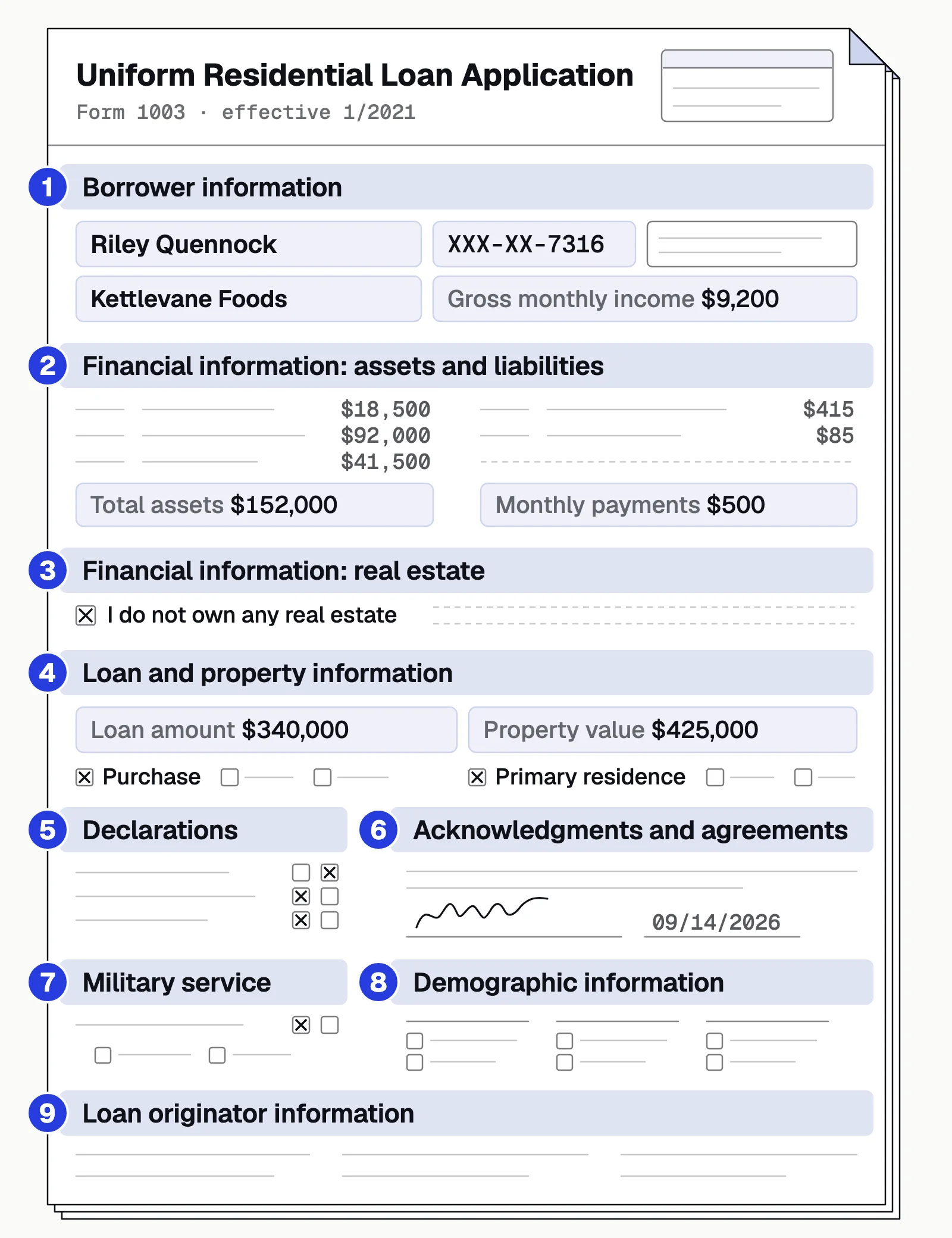
Income drives debt-to-income, so pay stubs, W-2s and tax returns get the most scrutiny. Assets need every transaction. For purchase loans, Fannie Mae asks for the most recent full two months of bank statements, so large deposits can be sourced.
Where manual processing slows lenders down
Manual file prep
- Someone sorts an 80-page upload or 40 phone photos by hand
- Income and asset figures are typed into the LOS, then into worksheets
- The employer on the pay stub, W-2 and 1003 is compared by eye
- Problems surface at underwriting and send the file back
Automated file prep
- Every page is classified, and the package is split into documents
- Fields are extracted once and sent to the LOS by API
- Cross-document checks run on every file
- Gaps are flagged while the borrower can still fix them
Mortgage OCR vs intelligent document processing
Mortgage OCR turns scanned loan documents into machine-readable text. That's the first step of mortgage data extraction, not the whole job. Underwriting needs each document identified, the right fields pulled out and the values checked against the 1003. Template-based OCR finds values by their position or a nearby label, so it breaks when a layout changes. IDP reads the context instead.
| What you get | Mortgage OCR | Intelligent document processing |
|---|---|---|
| Output | Text from each page | Named fields and tables, such as year-to-date pay and every transaction |
| Loan packages | Sorted by hand first | Pages classified and split |
| New layouts | A template per layout | Read from context |
| Checks | None | Against the 1003 and the other documents |
| Unsure values | Pass through unflagged | Sent to a person for review |
On a pay stub, IDP returns named fields for this period and the year to date, not a page of text.
| Field | Extracted value | Confidence |
|---|---|---|
| Employer | Northfield Freight LLC | |
| Employer EIN | ••-•••3082 | |
| Employee | Aisha K. Warren | |
| Employee ID | 20417 | |
| Period start | 2026-08-17 | |
| Period end | 2026-08-30 | |
| Pay date | 2026-09-04 | |
| Pay frequency | Biweekly |
| Field | Extracted value | Confidence |
|---|---|---|
| Regular hours | 80.00 | |
| Regular rate | 30.00 | |
| Regular pay | 2,400.00 | |
| Overtime hours | 4.00 | |
| Overtime rate | 45.00 | |
| Overtime pay | 180.00 | |
| Gross pay | 2,580.00 |
| Field | Extracted value | Confidence |
|---|---|---|
| Federal income tax | 227.98 | |
| Social Security | 159.96 | |
| Medicare | 37.41 | |
| State income tax | 122.14 | |
| Roth 401(k) | 129.00 | |
| Total deductions | 676.49 | |
| Net pay | 1,903.51 |
| Field | Extracted value | Confidence |
|---|---|---|
| YTD regular hours | 1,440.00 | |
| YTD gross pay | 44,910.00 | |
| YTD federal income tax | 3,927.46 | |
| YTD Social Security | 2,784.42 | |
| YTD Medicare | 651.20 | |
| YTD total deductions | 11,731.39 | |
| YTD net pay | 33,178.61 |
How to automate mortgage document processing with AI
Mortgage document automation starts by turning a loan package into labeled documents. Packages come in by upload, by email or through the API.
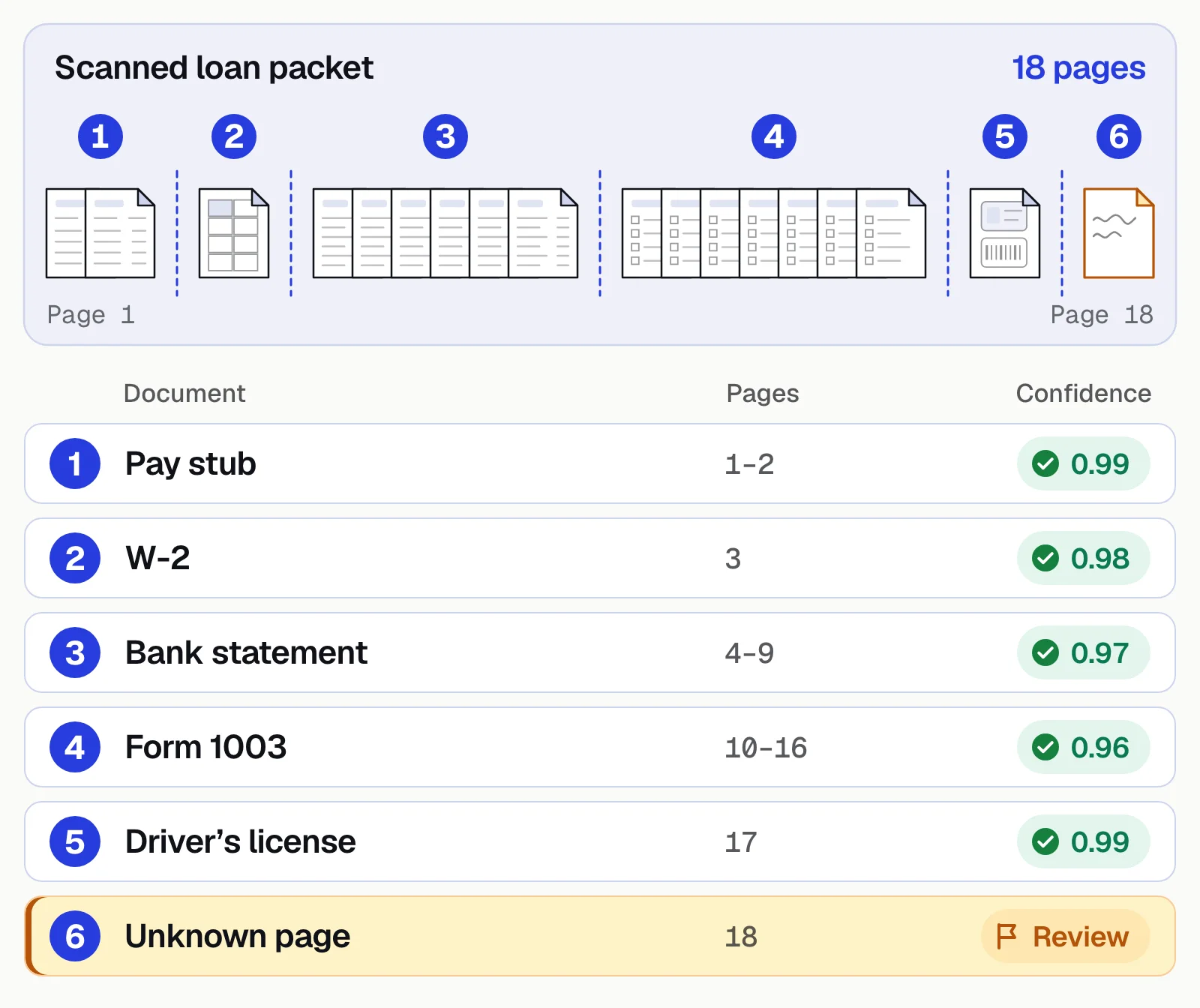
Each document then yields its fields, such as year-to-date pay and every transaction. Every field gets a confidence score and a link to its place on the page. Unsure fields go to a processor, who checks the source page or asks the borrower for a clearer copy. Clean data goes to the LOS through the API or a webhook.
Docsumo classifies and splits packages on the Business plan. Its AI Split takes a plain-English definition of each document type, so your team decides how a loan package is split. Docsumo keeps each loan's documents together in case management on the Enterprise plan. It extracts income data but doesn't produce Form 1084 or Form 91 income calculations or make the credit decision.
- 99%field-level accuracy on 250+ document types
- 95%+of documents processed straight through, without manual review
- <5 minper document, down from 2+ hours
Checks to run on every loan file
- IdentityThe borrower's name and address match across the 1003, pay stubs, W-2s and bank statements.
- Income consistencyYear-to-date pay fits the pay frequency and prior-year W-2s, and supports the income on the 1003.
- Asset sufficiencyBalances cover the down payment and closing costs, and large deposits are flagged for sourcing.
- Math and continuityStatement balances agree with the transactions, and pay stub gross pay reconciles to net.
- RecencyDocument dates fall within the lender's and investor's age limits.
The income check saves the most rework. Line up the 1003, the W-2, the latest pay stub and the bank deposits. Flag any gap with the figures side by side, so the processor asks the borrower now, not weeks later. For the income side, see income verification. For assets, see bank statement verification for mortgage lending. In Docsumo, checks that compare one document with another are called cross-document validation, and they're on the Enterprise plan.
Automating the mortgage process beyond documents
Most loan steps that don't involve reading documents happen in the LOS. Its rules can assign tasks, order the credit report, the appraisal and the title search, and track deadlines. The CFPB's TRID disclosure rule sets several of those deadlines. The Loan Estimate must go out within 3 business days of the application and at least 7 business days before closing. The borrower must receive the Closing Disclosure at least 3 business days before closing.
Automated underwriting systems help lenders assess credit risk and whether a loan is eligible for sale. Desktop Underwriter (DU) is Fannie Mae's, and Loan Product Advisor (LPA) is Freddie Mac's. Both can verify some income, assets and employment from third-party data instead of paper documents. DU does it through its validation service, and LPA through a feature called AIM. Fannie Mae reports that loans with at least one digital validation component are 33% less likely to produce defects. When the data can't verify a borrower's income, assets or employment, the lender still has to check the documents. For more on DU and LPA findings, see automated underwriting software.
Underwriting conditions and post-closing both bring in more documents late in the loan process. An underwriting condition usually asks for one more document. Docsumo's Document Collection and Email agents email the sender to ask for a document missing from the file. After closing, quality control reviews a sample of loans. Fannie Mae requires lenders to pick loans for this review at least monthly. The random sample is either 10% of monthly production or a statistically valid sample, and each of those loans gets a full-file review. The whole cycle, from selection to reporting, must finish within 90 days from the month the loan was funded.
Robotic process automation (RPA) uses software bots to copy data from one screen to another, often between systems that have no API. So it needs clean data to start with (see RPA in mortgage). Document AI can supply that data. Docsumo reads the statements and other documents the borrower provides, then sends the checked data to your LOS through the API and webhooks. It doesn't connect to borrowers' bank accounts the way aggregation services such as Plaid do.
Where automation still needs people
Automation prepares the file, but it doesn't make underwriting judgments. Salaried W-2 files pass straight through far more often than these four kinds of file.
Self-employed borrowers
1040s, Schedule C, K-1s and P&Ls can be extracted; which income is stable is an underwriter's call.Variable income
Bonus, commission, overtime and rental income show up on pay stubs and returns; whether they'll continue is a judgment.Poor document quality
Faded copies and sideways photos lower confidence. Ask for clear, complete pages up front.Edge cases
Several employers, amended W-2s, business deposits in a personal account, or insurance that doesn't name the lender.
How to roll it out
- Measure today's manual workHours spent sorting, re-keying and chasing documents, and how many files come back with conditions.
- Start with the highest-volume documentsUsually pay stubs, W-2s and bank statements. Pilot self-employed loans separately.
- Map the LOS integrationTest in a sandbox with real samples, including a missing required field.
- Run a parallel pilotProcess a few hundred files both ways and compare accuracy, exceptions and cycle time.
- Add checks and routingLow-confidence fields go to processors, inconsistencies to senior processors, outliers to underwriters.
Our take. Don't start mortgage process automation with the whole loan process. Start with one document type that drives a decision and shows up on most of your files, such as the pay stub. Once the pay stubs need few corrections, add W-2s and bank statements. Then add tax returns and the documents that clear conditions.
How to choose a mortgage document processing tool
Test it on real loan packages, phone photos and scanned tax returns included, and measure field-level accuracy. Then check how it splits a 100-page upload and whether it checks documents against each other. Processors should see unsure fields on the source page. Last, ask for an API your LOS can call and SOC 2 Type 2 compliance. For vendors, see the best mortgage document automation software.
Test it on loans you closed last quarter
Pick a few loans you closed last quarter, including one self-employed borrower. Note how long each file waited on documents and conditions. Then run the same files through the tool and count the exceptions your processors would have seen. The results show where your files lose the most time, so you know what to automate first. See IDP for lending.
Book a demo with a few of your own loan files, or start a free trial.
Frequently asked questions
What is mortgage process automation?
Mortgage process automation uses software to move a loan from application to closing with fewer manual steps. The loan origination system sets tasks and deadlines, automated underwriting returns findings, and document AI reads and checks the loan file. People handle the exceptions and make the credit decision.
What parts of the mortgage process can be automated?
Part of every stage can be automated, from the application and disclosures to underwriting, conditions, closing and post-closing quality control. Most stages wait on documents, so reading and checking the loan file helps at nearly every stage. The credit decision stays with an underwriter.
What documents are needed to process a mortgage?
Most files need the Form 1003 application, pay stubs, W-2s or 1099s, tax returns, and bank and investment statements. The file also holds a credit report, the purchase contract, an appraisal, title documents and proof of homeowners insurance. Requirements vary by loan program and investor.
What is mortgage OCR, and is it enough for underwriting?
Mortgage OCR (optical character recognition) turns scanned loan documents into text. It doesn't know which number is year-to-date pay or which deposit needs sourcing. Intelligent document processing sorts the pages, pulls out the fields, checks them against the application and sends unsure fields to a person.
What should lenders automate first?
Pay stubs, W-2s and bank statements, one type at a time. They take the most processor time, follow predictable patterns and feed the income and asset checks.
Does mortgage document automation replace underwriters?
No. It prepares a clean, verified file faster. Underwriters still make the credit decision and clear conditions.
Sources
- MBA: IMBs Production Profits Increase in Second Quarter of 2026 (Quarterly Mortgage Bankers Performance Report)
- Fannie Mae Selling Guide B3-4.2-01: Verification of Deposits and Assets
- FHFA: Uniform Residential Loan Application instructions
- CFPB: Regulation Z, Loan Estimate and Closing Disclosure timing (TRID)
- Fannie Mae: Desktop Underwriter and Desktop Originator
- Freddie Mac: Loan Product Advisor
- Fannie Mae Selling Guide D1-3-01: Lender Post-Closing Quality Control Review Process
First published . Last updated .